 Language
- 🇯🇵日本語
- 🇺🇸English
- 🇨🇳简体中文
- 🇹🇼繁體中文
- 🇰🇷한국어
illustration creators
Every commission,
one link.
Select questions, send, done.
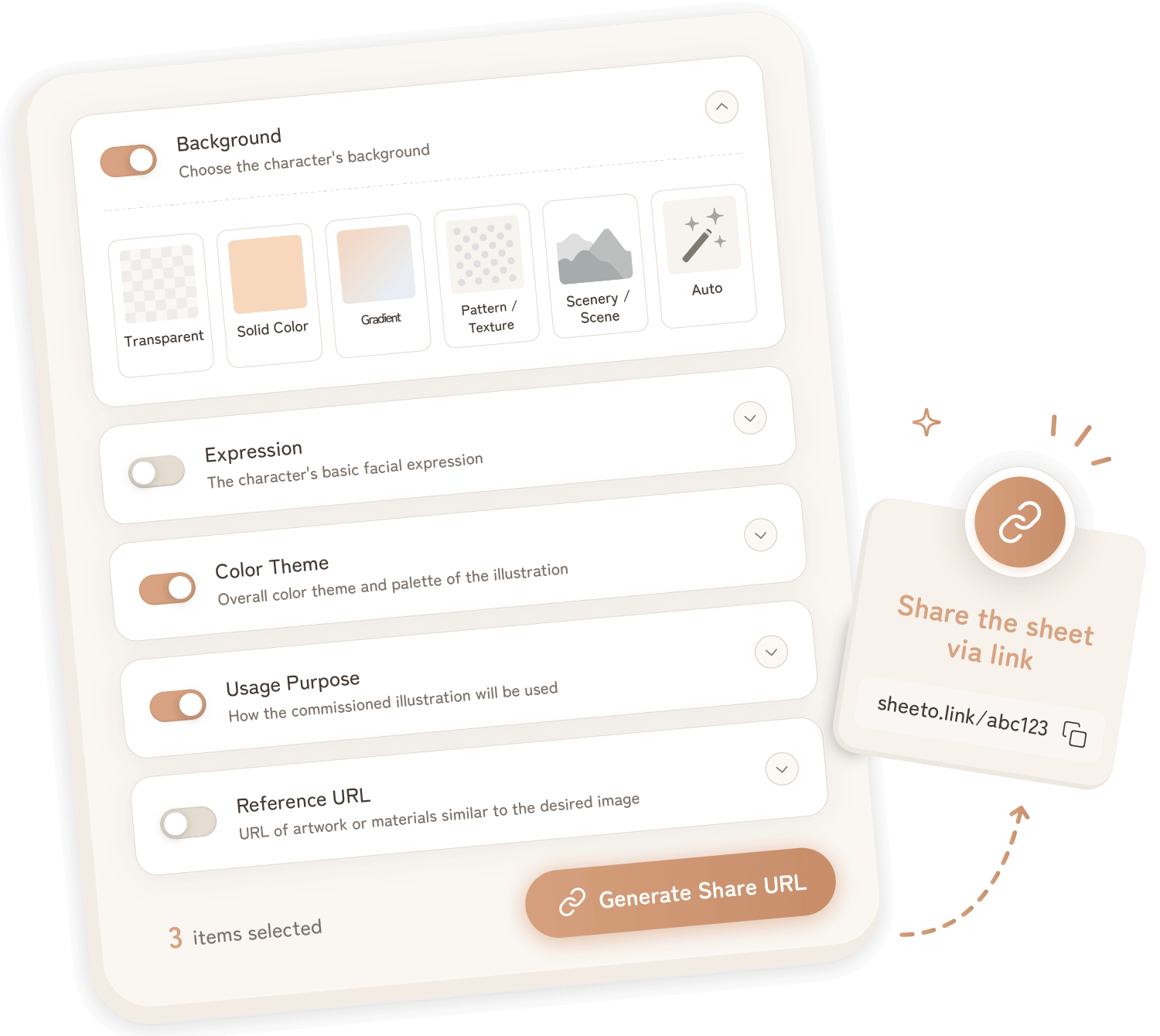
Select the items you want to confirm, and issue a URL. Your client just opens the link and selects their answers — done. A free, no-signup brief sheet creator.
Commission communication,
made easier.
-
The problem
Typing the same questions
from scratch every timeWith SheetoCreate once, paste every time.
Your URL never expires. From the second commission on, just paste and send — your brief is ready in seconds.
-
The problem
The client had no illustration knowledge
and couldn't answer my questions wellWith SheetoJust pick an option — no knowledge needed.
All answers are choice-based. Clients don't need to know technical terms — just pick from the options provided. Simple for anyone, first-timer or not.
-
The problem
Got a commission from abroad
but the language barrier is worryingWith SheetoMultilingual support makes overseas commissions easy.
Sheeto supports Japanese, English, Simplified/Traditional Chinese, and Korean. Send the brief in your client's language — no language barrier, no problem.
Just select questions and send the link
-
1

Select items to create a brief
Choose from a wide variety of check items to suit your preferences, including background, expression, hairstyle, reference URL, delivery format, and more.
-
2

Send the URL to the client
Share the issued URL with your client. No registration required, they can answer right after opening the link.
-
3

Receive and save responses
Once your client submits their answers, a confirmation URL is shown to them. They simply send it to you — and you can review everything at a glance, or save it as a JPG.
※ The URL appears on the client's completion screen
Frequently Asked Questions
Is registration or login required to use it?
No, it is not required. It is completely free, and you can create and share briefs without any registration or login.
Does the client (the person answering) also need an account?
No, they don't. They just need to open the shared URL and answer right there.
How long will the answered content be saved?
For privacy reasons, responses are automatically deleted after a certain period (14 days by default).
Can I reuse the brief settings?
The issued URL can be reused as many times as you like. By sending the same link every time you conduct a brief, you can reuse the exact same questions.
Can images be uploaded?
There is no image upload feature. You can share reference works or materials by entering their URLs.
How can I receive the responses?
When the client submits their answers, a confirmation URL appears on their screen. Once they share it with you, you can review all responses in a list and save them as a JPG image.
Is there any fee?
All features are available completely free of charge.